Finding a fitness routine is one thing. Following it consistently, remembering what you trained, and seeing how your efforts add up can be a challenge. The Gym Guide workout planner app brings those everyday training tasks together in one place, helping you organize a week of workouts, explore exercises, record completed sets, and review your progress over time.
Whether you are returning to the gym, building a regular routine, or simply looking for a clearer way to organize your training, Gym Guide : Workout Planner is designed to make your fitness journey easier to manage. It combines a personalized workout plan, weekly schedule, exercise library, workout tracker, progress tools, readiness check-ins, meal inspiration, and workout reminders. Here is a closer look at what you can do with the Gym Guide fitness app.
Start With a Fitness Profile That Reflects Your Goals
When you set up Gym Guide, onboarding asks about your training preferences so the app can create a starting workout plan. You can choose a fitness goal such as strength, muscle gain, or general fitness, select your experience level, choose how many days you want to train each week, and specify whether you have access to a full gym or prefer training at home.
You can also select your preferred training weekdays. These choices help shape the schedule and give the plan a useful starting point. They are not a substitute for professional coaching or a medical assessment, but they make it easier to begin with a routine that reflects your preferences.
Your profile is editable. If your schedule, equipment, or goals change, update your training preferences and review a preview of how the proposed changes affect future workouts. The app distinguishes future sessions from completed history and active workouts, helping keep your logged training intact when you adjust your plan.
See Your Training at a Glance on Home
The Home screen is your daily starting point. It shows the date, an overview of the current training week, and a card for the workout recommended for today. Depending on your plan, the day may be a scheduled training session, a rest day, or a prompt that you still need to create a plan.
A weekly summary helps you compare completed workouts with your target and see how close you are to your weekly goal. The week strip gives a quick visual view of scheduled and completed training days, while a coach-style insight offers a short training note based on the information available in your workout history and readiness check-in.
The Home screen also includes a daily readiness check-in. Use it to record how ready you feel to train. This simple reflection can help you notice how your training and recovery feel from day to day. It is personal tracking, not a medical evaluation or a diagnosis.
Build a Weekly Workout Plan Your Way
The Gym Guide workout planner provides a Monday-to-Sunday view of planned training and rest days. You can customize the plan by selecting a day and choosing the exercises you want for that session. Want a day focused on shoulders, legs, or another training emphasis? Edit the day to select movements and organize a split that works for you. Any day can be set as a rest day.
Each planned workout is presented as a session you can start from the plan. This makes the weekly workout schedule more than a calendar: it connects your training outline directly to the workout logging experience.
If your goals or available training days change, you can update your profile and review proposed plan changes before applying them. This is useful when life gets busy or you want to reshape your weekly gym routine without losing the record of work you have already completed.
Use the Schedule to Organize Your Gym Week
The Schedule screen turns your training plan into a calendar-style weekly overview. Move between available weeks or return to the current week, then see which workouts and rest days are planned. Completed sessions are reflected in the schedule, making it easier to understand what you have done and what is coming up.
When a workout is scheduled, you can start it from the schedule. This is handy when you prefer to plan your week in advance and launch a session directly from the day you are viewing. The schedule and workout plan work together: the plan defines your training days, while the schedule presents them in the context of a week.
Browse the Exercise Library
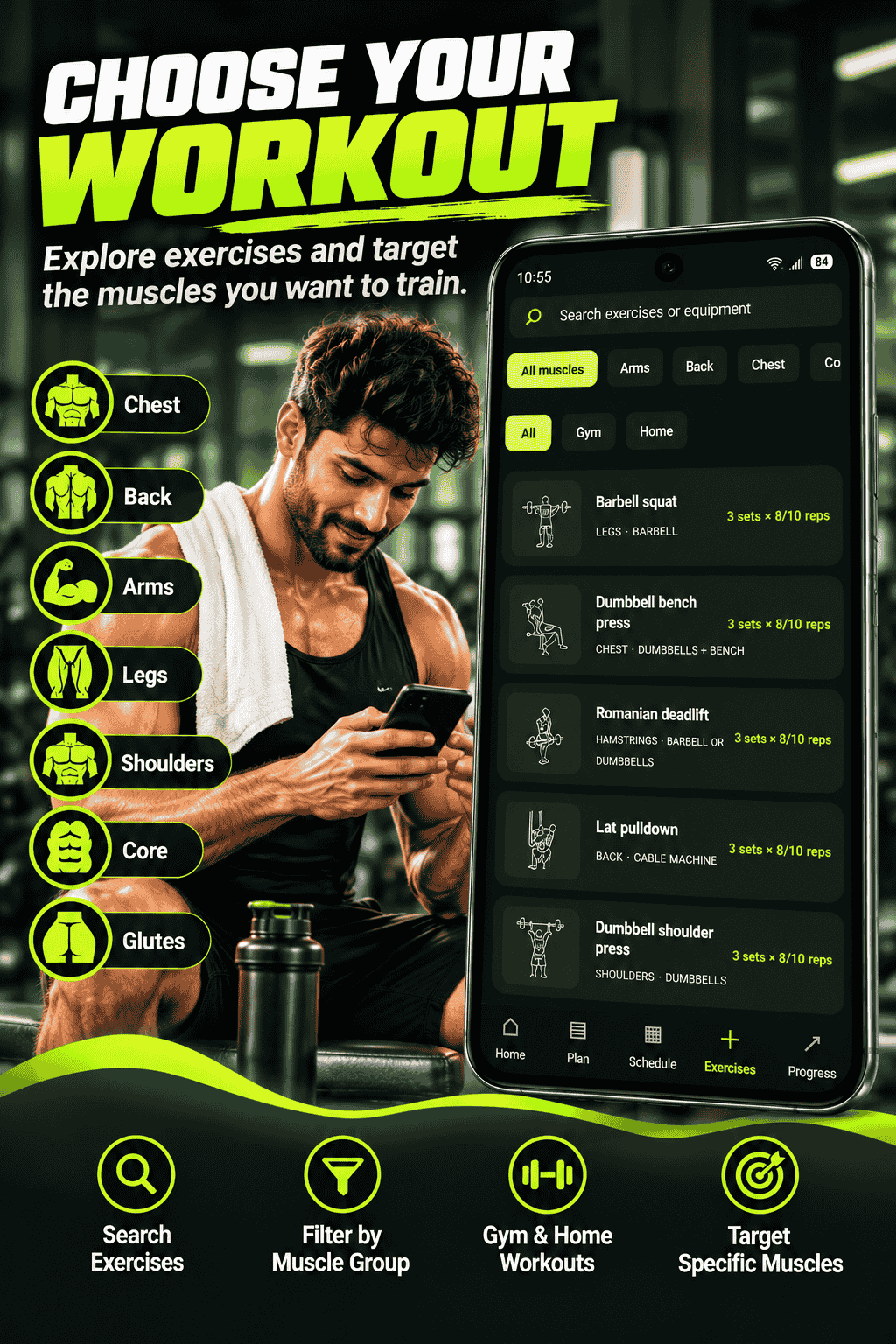
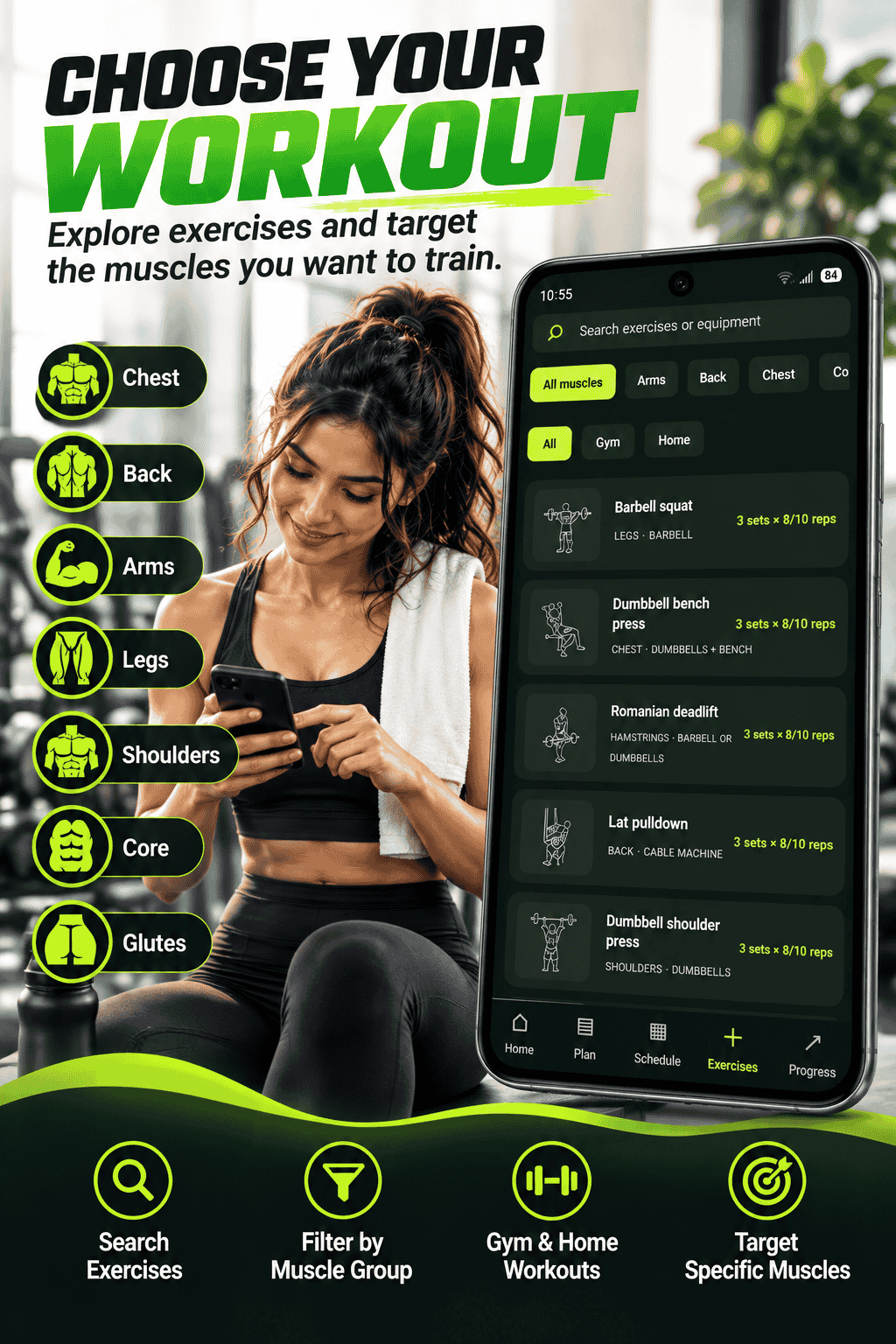
Not sure which movement to include? The Exercise Library lets you search exercises and narrow the list using available filters, including equipment and muscle group. Select an exercise to open its details, where you can review the exercise category, equipment, suggested sets and repetitions, rest time, artwork, and a coaching cue.
This makes the library helpful both when customizing a training day and when looking for ideas for your next gym session. Exercise suggestions and coaching cues are general information. Choose movements appropriate to your ability, use safe technique, and seek qualified guidance when you are unsure how to perform an exercise.
Log Sets During an Active Workout
When you start a session, Gym Guide opens the active workout screen. It guides you through the planned exercises and shows the target sets, repetitions, and rest period. For each set, record the weight and repetitions you completed. The set list keeps track of what you have logged, so you can see your progress through the current exercise.
After a set, the rest timer helps you manage the break before the next effort. You can skip the rest timer if you are ready sooner. Once you finish the required sets for an exercise, move on to the next movement. Where available, you can swap an exercise before logging a set, which can help when equipment is unavailable or you need another suitable option.
The app can display a suggested starting load based on the information it has, but treat that as a prompt rather than a command. Select a weight you can lift with control and appropriate technique. You can finish a workout when you are ready and review the session summary.
Review Each Workout and Record How It Felt
At the end of a session, the workout summary brings together useful details such as elapsed duration, completed exercises, total sets, and training volume calculated from the logged sets. You can also record perceived effort on a scale from easy to maximal.
A general recovery note is shown in relation to the effort rating. Use it as broad training context, not as medical advice. Saving the session adds it to your workout history so you can revisit the details later and follow your consistency over time.
Track Progress and Celebrate Consistency
The Progress screen helps you review completed sessions, total logged sets, and recent activity. Open a history entry to see details from that workout, including its logged exercises and sets. This can make it easier to remember what you trained and compare sessions as your routine develops.
Gym Guide also includes strength trend visualizations based on available workout records, helping you look for patterns in your training history. Progress is not always a straight line, and a chart is only one way to reflect on training. Consider your technique, recovery, health, and personal goals alongside the numbers.
You can record bodyweight measurements and view a bodyweight trend, as well as keep a measurement history for waist, chest, and hips when those values are entered. These entries are for personal tracking only; they do not measure body composition or provide medical guidance. You can export training history as a CSV file for your own records or further review.
Find Meal Ideas With the Weekly Diet Plan
The Diet screen offers weekly meal-plan inspiration, with breakfast, lunch, and dinner suggestions organized by day. Browse the week, review individual meal cards, and replace a meal suggestion if you want another idea. You can refresh suggestions and select an eating pattern from the available choices.
You can also exclude selected ingredients from suggestions. Always check food labels and consider possible cross-contact, especially if you have an allergy. Where enabled, the app displays estimated calories and nutrients such as protein, carbohydrates, and fat. These numbers are approximate and depend on portions, brands, and preparation. Meal ideas are general inspiration, not a personalized prescription or a replacement for advice from a qualified dietitian or healthcare professional.
Set Workout Reminders That Fit Your Schedule
A routine is easier to follow when it fits into your week. Gym Guide lets you configure workout reminders by choosing the days and time that suit you, or by having reminders follow your plan schedule. You can adjust or turn off reminders when your availability changes.
Android may ask for notification permission before reminders can appear. If notifications are disabled in the device settings, you may need to enable them there. Reminders are intended to support your own schedule; they are not a substitute for listening to your body or taking rest when needed.
Manage Your Profile, Backup, and Privacy Choices
The Profile screen brings together training preferences and account-related options. You can edit your plan preferences, open workout reminder settings, view the privacy policy, and access advertising privacy choices when required. The app also includes a Google account sign-in flow and sign-out option.
Gym Guide provides tools to export a backup and restore from a backup file. The backup includes profile and workout-related information such as workout history, readiness check-ins, and body measurements. Restoring can replace existing app data, so review the confirmation carefully and keep a safe copy of anything you do not want to lose.
The app indicates that workouts and profile details are stored locally on the device. You can choose to delete all local app data through the Profile screen. Consider exporting a backup first if you want to retain your information. Review the in-app privacy policy and your device’s settings to understand the options available to you.
Who Can Use the Gym Guide Workout Planner?
Gym Guide can be useful for people who want a structured way to plan gym workouts, beginners looking for a clear starting routine, and regular exercisers who want to keep a log of sets and sessions. Its adjustable training days and equipment preferences can also help users make a plan around a changing schedule or a home workout setup.
The app is a fitness planning and tracking tool, not a personal trainer, doctor, or dietitian. Start at an appropriate level, prioritize safe form, and speak with a qualified professional if you have an injury, medical condition, or questions about whether a particular exercise or diet is suitable for you.
Make Your Next Workout Easier to Plan
From the first fitness profile to the final set entry, Gym Guide connects the everyday parts of a workout routine. Use the workout planner to organize your week, the exercise library to explore movements, the active workout tracker to log your training, and the Progress screen to revisit your history. Add meal inspiration and reminders when they are useful to your routine.
The best workout plan is one you can follow, adapt, and sustain. Gym Guide gives you practical tools to organize your gym week and keep your training visible, while leaving room to adjust the routine to your goals, experience, equipment, and life outside the gym.
Conclusion
The Gym Guide workout planner app is designed to make fitness planning more manageable. It combines personalized training preferences, a customizable weekly workout plan, a schedule, exercise browsing, set-by-set workout tracking, session summaries, progress charts, body measurements, meal suggestions, and configurable workout reminders.
Whether you are building a new gym habit or organizing an established routine, Gym Guide helps bring your training plan and workout history together. Explore the features, set a realistic weekly target, and use the app to stay organized—one workout at a time.
Start planning your training with Gym Guide on your fitness journey at YourGymGuide.com.
